
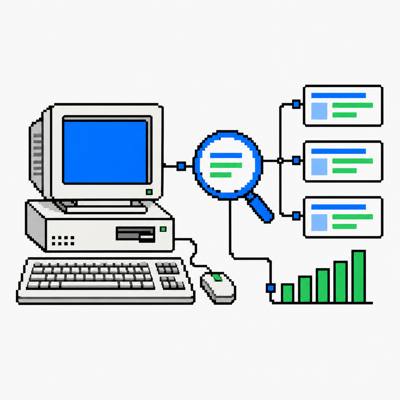
Opportunity Hunter – Search Insights
$0.00
Designed for Wordpress site owners who want actionable insight without another tracking platform, Opportunity Hunter – Search Insights turns your existing Google Search Console data into focused opportunities, query trends and landing-page analysis. This is a free plugin, you will not be charged at checkout.
Instant secure download
- Easy license activation
- No forced subscriptions
- Money back guarantee
Description
Find the search opportunities already hiding in your data.
Opportunity Hunter – Search Insights turns read-only Google Search Console data into focused query, landing-page and content-alignment reports inside WordPress—without Google Analytics, visitor cookies or a front-end tracking script.
Use Google’s evidence without rebuilding Search Console.
The plugin focuses on the relationships that are useful for content decisions: what people searched, which pages Google selected, what changed and whether the exact phrase appears on the page.
Surface overlooked demand
Bring long-tail and lower-position queries into a searchable report, then filter by impressions, clicks, position, performance state or optional content lens.
Connect queries to content
Drill from a query into its landing pages—or from a page into its queries—with visibility share and current-primary-page context to expose competing URLs and alignment gaps.
How it works
Connect once, synchronize finalized Search Console data, then explore it entirely from WordPress admin.
Connect Search Console
Sign in with a Google account that can access your Search Console property. Select the site to analyse—no personal Google Cloud project or developer credentials required.
Synchronize the reports
Import read-only query and landing-page data for the current 28 days, previous 28 days and 90-day context. Report rows are stored locally in WordPress.
Investigate opportunities
Compare trends, inspect query-to-page relationships, check exact search-term mentions and export the filtered evidence for further work.
Explainable signals—not an SEO score
Opportunity labels organize changes relative to the connected property. They do not guess commercial value, conversion intent or what you should publish.
Focused analysis for real content decisions
Period-over-period query analysis
Compare impressions, clicks, click-through rate and average position across current and previous 28-day windows, supported by 90-day context.
Query and page drill-downs
See which pages receive visibility for each query and which queries lead to each page. Page share helps reveal competing URLs and possible cannibalization.
Search Term Mentions
Run an on-demand exact-phrase check against a local page’s title, headings, body, link text and href values. Results are a content lens, not a quality judgment.
Filters and query lenses
Filter by impressions, clicks, position and opportunity type. Apply optional question-form, test-answer, local-search or potential-commercial lenses without assigning intent scores.
Complete filtered CSV exports
Export all matching Opportunities, Queries, Landing Pages and drill-down records—even when the on-screen report deliberately limits displayed rows.
Private, local reporting
Search report rows stay in your WordPress database. No front-end tracker, Google Analytics connection or paid licence is required.
Different tools for different questions
Opportunity Hunter is a focused Search Console analysis layer. Looker Studio is a flexible report builder; MonsterInsights is primarily a Google Analytics integration.
| Capability | Opportunity Hunter | Google Looker Studio | MonsterInsights |
|---|---|---|---|
| Best suited to | Finding query, landing-page and content-alignment opportunities inside WordPress | Building custom dashboards and combining configured data sources | Monitoring Analytics-based visitor behaviour, engagement and conversions inside WordPress |
| Primary purpose | Focused first-party organic-search analysis | Flexible visual reporting | Broad website analytics and eCommerce reporting |
| Search connection | Direct read-only Search Console API reports | Search Console connector and configured data sources | Search Console reporting alongside Google Analytics features |
| Setup | Connect, select a property and synchronize | Create data sources, then build or configure reports | Connect and configure the relevant Google services and plugin reports |
| Period comparison | Current 28 days, previous 28 days and 90-day context prepared automatically | Configured through date controls, charts and calculated fields | Date and performance reporting vary by report and plan |
| Opportunity labels | Transparent Defend, Recover, Grow and Review signals | Can be built manually with calculated fields | Not this query-opportunity model |
| Query-to-page analysis | Bidirectional drill-down, page share and current primary page | Can be built using URL Impression data and custom tables | Not positioned as a detailed query-to-page investigation tool |
| Search Term Mentions | On-demand exact-phrase checks across page elements | Not part of the Search Console connector | Not part of its Search Console reporting |
| Visitor tracking | None | None for Search Console reporting alone | Google Analytics tracking supports its visitor and conversion reports |
| Storage | Synchronized reports stored locally in WordPress | Data queried and presented through Google’s reporting platform | Analytics data managed by Google and presented in WordPress |
| Starting model | Free—no licence required | Free Google reporting tool, subject to service limits | Free plugin with advanced reporting varying by paid plan |
On smaller screens, swipe the table horizontally. These products are not direct equivalents. Comparison summarizes their different public product positions; third-party features, limits and pricing can change.
Free means the complete V1 product
No trial clock, gated report or licence server.
Opportunity Hunter – Search Insights
- All V1 reports, filters and query lenses
- Search Term Mentions and page drill-downs
- Complete filtered CSV exports
- No licence key or payment details
Compatibility and requirements
Review the connection and platform requirements
| WordPress | 7.0 or later; tested up to WordPress 7.1 |
| PHP | 8.1 or later; DOM extension required for Search Term Mentions |
| Google account | Required, with access to at least one verified Search Console property |
| Google Cloud project | Not required—the WPGator OAuth application handles authorization |
| Google permission | Read-only Search Console access using webmasters.readonly |
| Outbound connection | The server must permit HTTPS requests to Google APIs and the WPGator OAuth relay |
| Search scope | Google Web search-performance data in V1 |
| Property scope | One selected Domain or URL-prefix property per WordPress installation |
| Report windows | Current 28 days, previous 28 days and 90-day context, ending three complete days before synchronization |
| Data storage | Report rows are stored locally; OAuth credentials are encrypted in a non-autoloaded WordPress option |
| Front-end tracking | None—no analytics script, visitor cookie or Google Analytics connection |
| Multisite | Not supported in V1 |
Frequently asked questions
Does WPGator receive my Search Console reports?
No. Your WordPress site requests report rows directly from Google and stores them locally. The WPGator relay handles OAuth callback and token refresh; it does not receive or analyse the report rows.
Does the plugin add Google Analytics?
No. It adds no visitor tracking script, analytics tag or front-end cookie.
Are the opportunity labels SEO scores?
No. They are explainable views of Search Console visibility and engagement changes. They do not predict intent, conversion value or content quality.
Why do Site query and Query + page totals differ?
Search Console applies aggregation and privacy handling differently across dimensions. The plugin preserves the returned datasets rather than forcing unlike totals to match.
Can I connect more than one property?
You may switch among properties available to the connected Google account, but one property is selected and stored for the current WordPress installation at a time.
See what Google already knows about your site.
Connect Search Console, synchronize the evidence and start investigating—without adding another tracker.
Only logged in customers who have purchased this product may leave a review.
Reviews
There are no reviews yet.