

Visual Certificate Builder for Learndash
Price range: $0.00 through $79.95
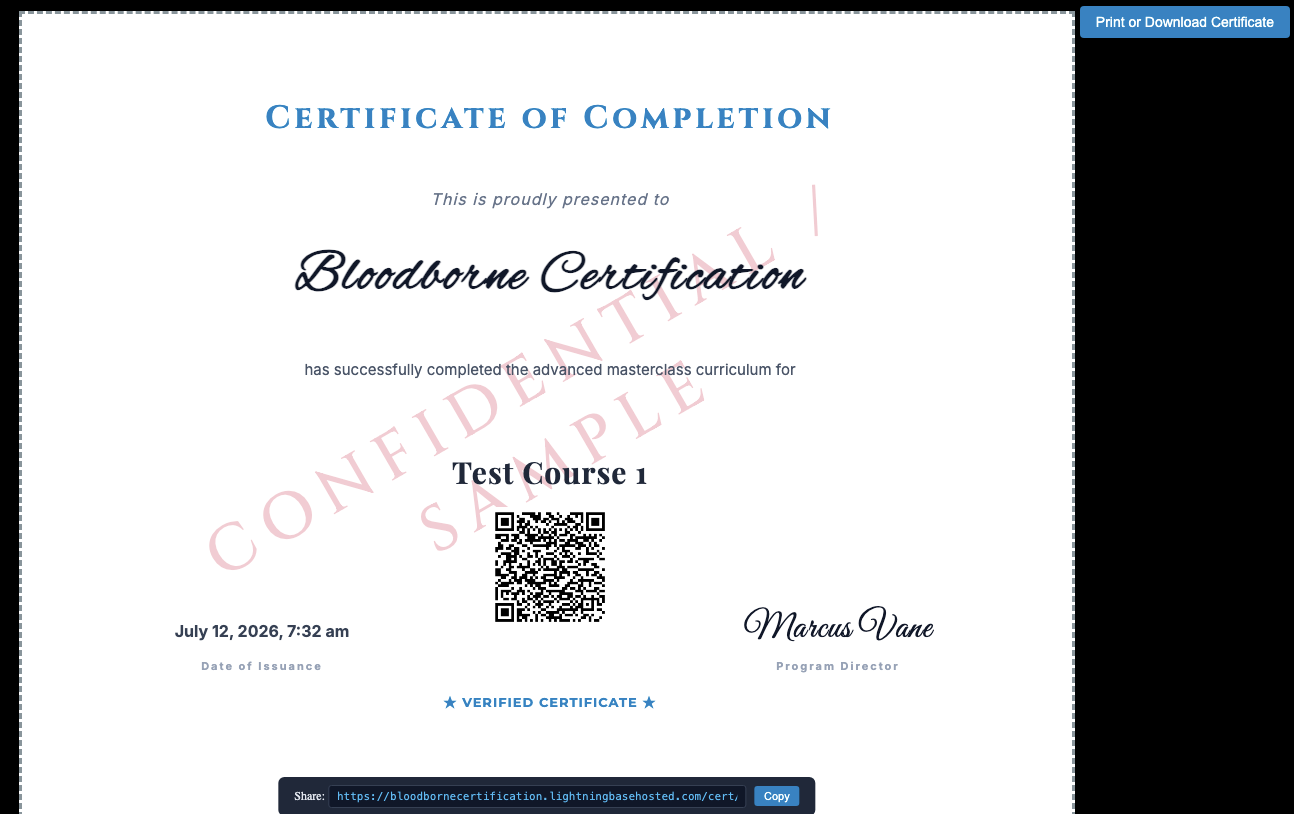
Drag-and-drop certificate builder for LearnDash. Design beautiful certificates visually with background images, watermarks, text elements and pre-built shortcodes for unique certificate ID, QR Code, custom expiry dates and more. Includes email certtificate delivery and secure verification link sharing.
Instant secure download
- Easy license activation
- No forced subscriptions
- Money back guarantee
Description
Design branded certificates without fighting the editor.
WPGator Visual Certificate Builder adds a focused drag-and-drop design canvas to native LearnDash course certificates, with dynamic learner data, browser-perfect rendering, secure public verification and optional completion email.
A visual layer for the LearnDash certificate workflow.
Continue assigning certificates through LearnDash. Visual Certificate Builder takes over the selected certificate’s design and rendering while its builder is active.
Design with the finished page in view
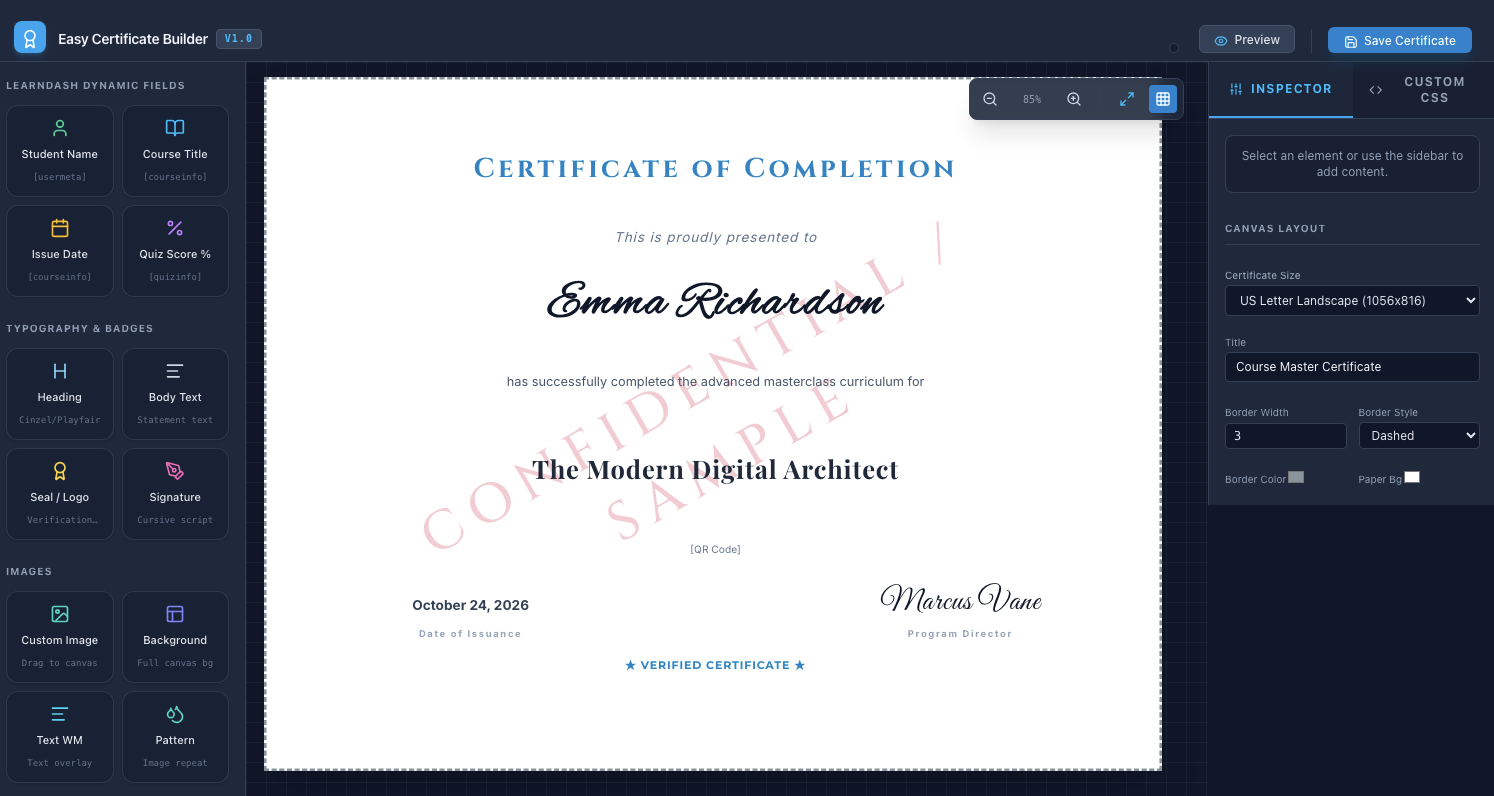
Place dynamic fields, text, images and watermarks on a visual canvas, then preview the composition before learners receive it.
Issue a credential that can be checked
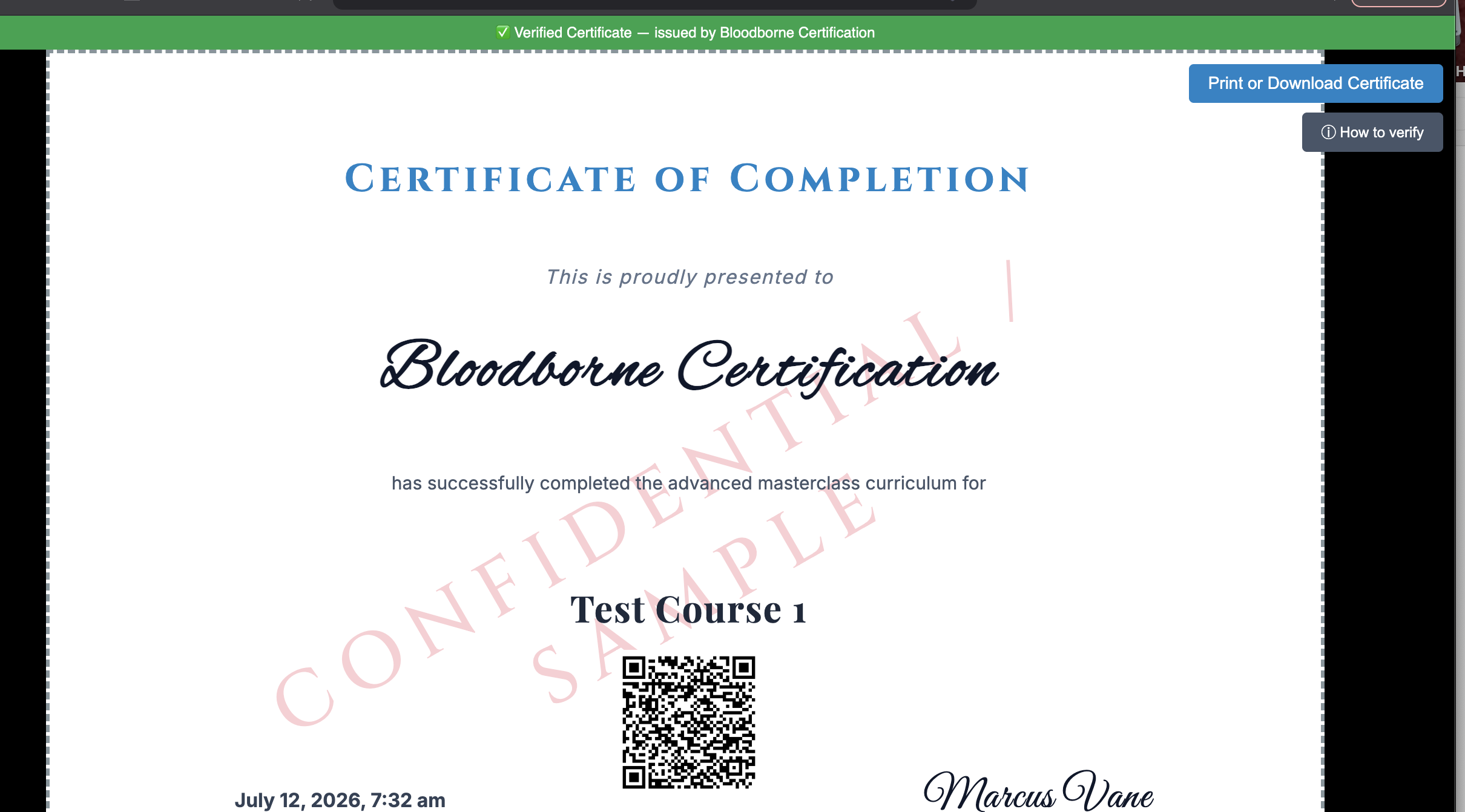
Course completion creates a durable issued record with a unique certificate ID, public verification link and matching PNG QR code.
How it works
No separate certificate assignment system is introduced.
Activate and assign
Install alongside LearnDash, save a native course certificate and launch the builder. Assign the finished certificate through the course’s normal LearnDash settings.
Design and preview
Add learner and course data, custom text, branded images, watermarks, certificate ID, expiry and QR verification. Preview, adjust and save the layout.
Issue and verify
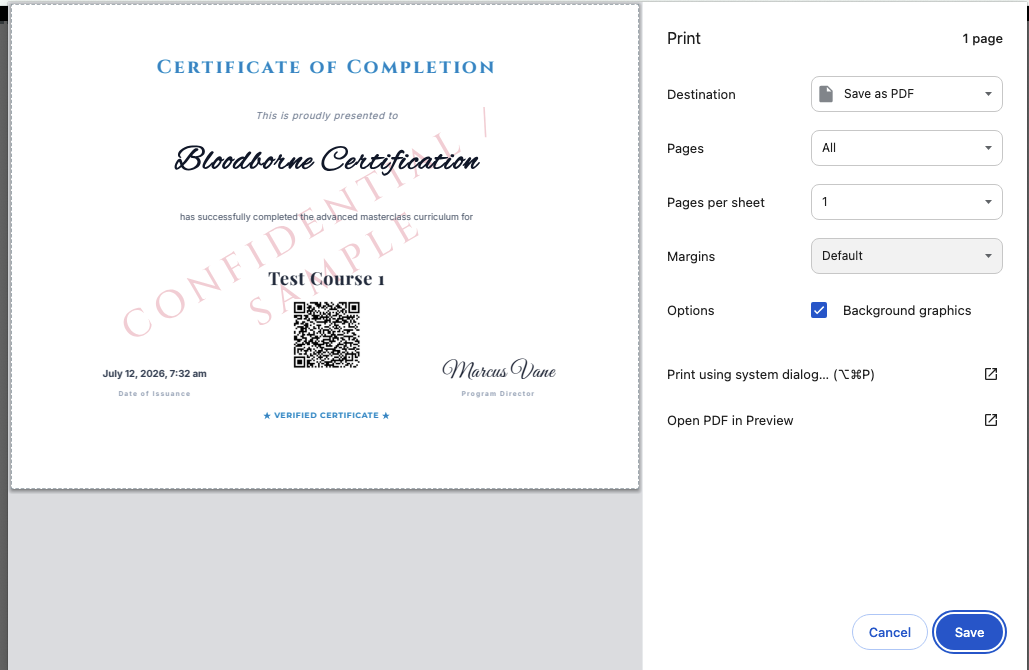
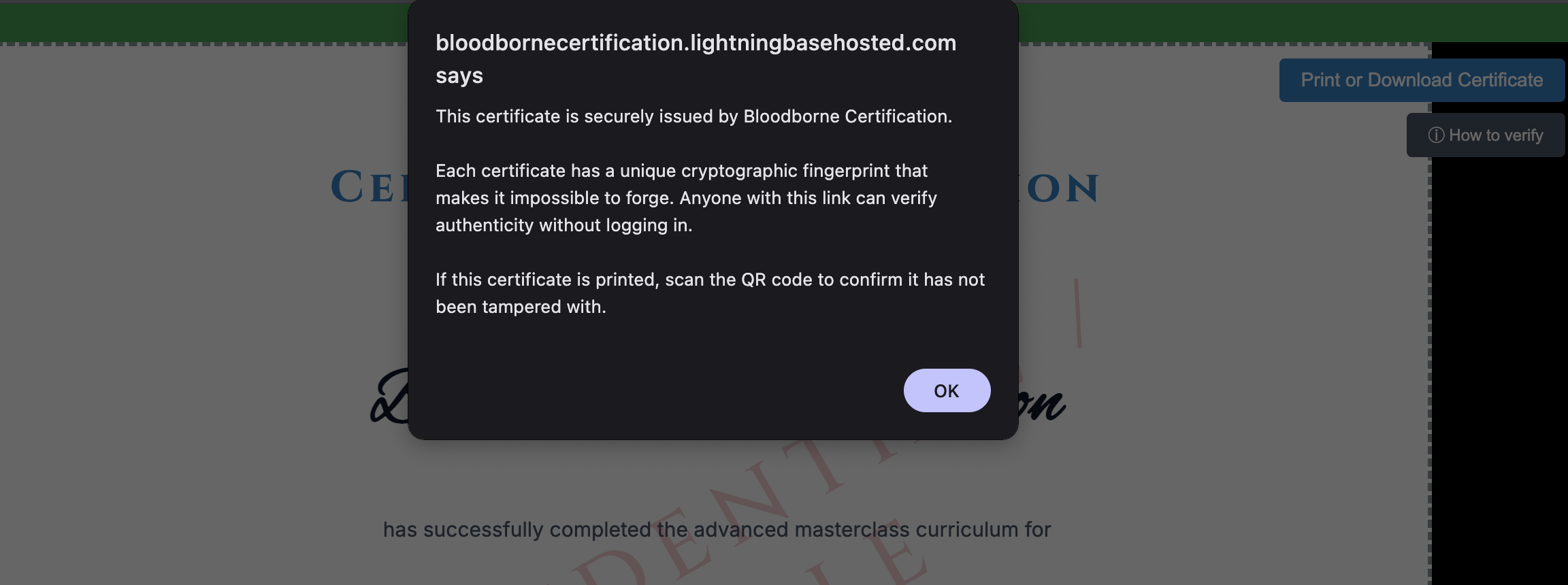
After course completion, the learner can view, print or save the certificate while third parties verify its issued record without logging in.
Control the design without replacing LearnDash.
Visual certificate builder
Position static and dynamic elements on a focused canvas, with horizontal and vertical centre snapping for clean alignment.
Branded visual assets
Use full-bleed backgrounds, custom images, text watermarks and image-pattern watermarks to match your organisation’s visual identity.
Dynamic course data
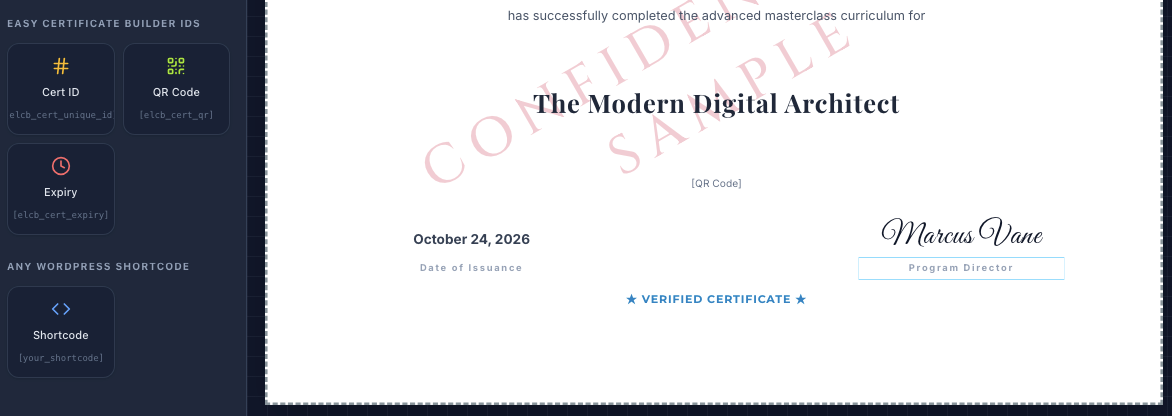
Populate learner name, course title, completion date, certificate ID, expiry information and PNG QR verification automatically.
Secure public verification
Issued certificates can carry an opaque verification URL and matching QR code so employers or accreditation bodies can check the record without learner login.
Reversible builder activation
Deactivate the builder for a certificate to restore native LearnDash rendering without deleting the saved visual layout or existing issued records.
Browser print, PDF and email
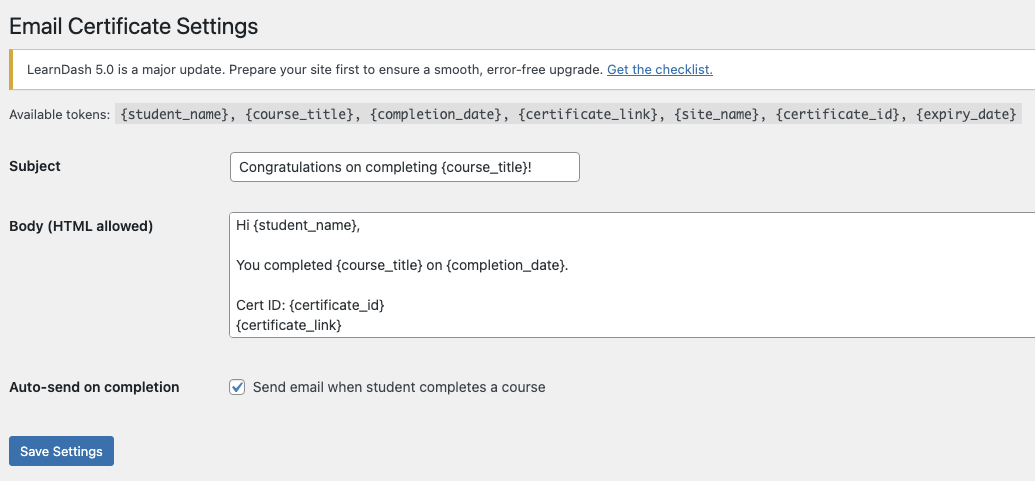
Learners can print or save the HTML certificate as PDF from their browser. Optional completion email delivers the certificate link automatically.
Choose the certificate model that fits the job.
Visual Certificate Builder is aimed at LearnDash sites that want visual control and self-hosted verification while keeping course certificate assignment native.
| Capability | Visual Certificate Builder | Native LearnDash certificate | Hosted credential platform |
|---|---|---|---|
| Best suited to | Branded LearnDash course certificates designed visually and verified from the WordPress site | Standard certificates built through the native editor and renderer | Organisations managing certificates or badges outside WordPress |
| Design workflow | Focused drag-and-drop canvas with live positioning | Native WordPress certificate editor | Provider-hosted visual designer |
| LearnDash assignment | Native course certificate setting | Native course, quiz or group capabilities according to LearnDash | Requires an integration, automation or separate workflow |
| V1 certificate scope | Course certificates only | Determined by LearnDash | Provider-dependent |
| Dynamic fields | Learner, course, completion, certificate ID, expiry, QR and custom content | Native LearnDash fields and shortcodes | Provider fields and supplied integration data |
| Verification | Self-hosted public record, unique ID, opaque URL and PNG QR code | Not a visual-builder verification system by itself | Hosted verification page |
| Rendering | HTML and CSS with browser print or Save as PDF | Native LearnDash rendering | Provider-hosted output and export |
| Data location | WordPress and the existing LearnDash site | WordPress and LearnDash | External service |
| Exit path | Deactivate the builder and restore native rendering while retaining the saved layout | Already native | Export and migration depend on the provider |
| Starting model | 15-day full-feature trial; single-site Pro licence | Included with LearnDash | Subscription or usage pricing typically applies |
On smaller screens, swipe the table horizontally. Hosted credential platforms vary considerably; this comparison describes delivery models rather than one named competing product.
Build the complete certificate during the trial.
The 15-day trial includes the full builder and verification workflow.
15-day trial
- Full visual builder
- All element and branding tools
- Certificate ID, QR and verification
- Print, PDF and optional email
Pro
- One production site
- Full builder and verification workflow
- One year of updates
- Priority email support
No automatic subscription: purchase one year at a time. Renewing before expiry adds another 365 days to the current licence end date.
Compatibility and requirements
Review the platform and certificate requirements
| WordPress | 6.7 or later; WordPress 6.9.4 and 7.0.2 tested |
| LearnDash | LearnDash 4.25.6 and 5.1.8 tested; native classic certificate editor required |
| PHP | 8.1 or later; PHP 8.3 tested |
| Certificate scope | Course-level LearnDash certificates only |
| Certificate editor | LearnDash’s native classic certificate editor is required to launch and manage visual layouts |
| Browser and print | Chrome, Firefox and Edge recommended. Safari or WebKit may require manual print-size adjustment. |
| Rendering | HTML and CSS browser rendering; no separate PDF engine required |
| Public verification | Requires a publicly reachable site and working WordPress permalinks |
| Issued records | One builder issued-certificate table alongside native LearnDash certificate and course data |
| Licence | 15-day full-feature trial, then LCB Pro for one active production site |
Frequently asked questions
Does the builder replace LearnDash certificate assignment?
No. Create and assign the certificate through LearnDash normally. The builder controls the layout and rendering only while activated for that certificate.
What happens when the trial or licence expires?
The builder unhooks from active certificate instances and new builder issuance pauses. Saved layouts and administrative options remain, while previously issued public verification records continue to work.
Can I return to the native LearnDash certificate?
Yes. Deactivate the builder for that certificate. LearnDash resumes native rendering and the visual layout remains saved for later reactivation.
Does it support Quiz or Group certificates?
No. Version 1 is explicitly limited to course-level certificates. Certificate Compliance Manager is the separate WPGator product for native LearnDash Course, Quiz and Group verification workflows.
Does it generate a PDF file on the server?
No separate PDF engine is required. The certificate renders in HTML and CSS, and the learner can print it or use the browser’s Save as PDF function.
Design the certificate you wanted LearnDash to issue.
Start with the full builder, test the learner journey and keep the native course workflow underneath it.
Additional information
| License | Free, Pro |
|---|
2 reviews for Visual Certificate Builder for Learndash
Only logged in customers who have purchased this product may leave a review.
Sara M –
Wow! why cant learndash do this themselves that is what I want to know.
Parrish S –
This thing is legit what i’ve been needing for 5 years, still trialling but incredible so far